

Losing someone never really ends. The grief softens over time, but certain moments — a wedding, a grandchild's birthday, a quiet family gathering — make the absence feel sharp again. Many families have found a way to honor those moments: adding their loved one to a photo, so the memory can feel whole.
This guide walks through how to do it, what to expect, and how AI has made it possible to do it with genuine care.
Why Families Do This
There's no single reason. Some families do it to create a keepsake — a photo that includes everyone who mattered, even those who couldn't be there in body. Others do it in the immediate weeks after a loss, when the urge to hold onto someone's presence is most acute.
Common occasions include:
- Weddings — when a parent or grandparent passed before the ceremony
- New baby announcements — a grandparent who never got to meet the child
- Milestone birthdays — reunion photos with a missing face
- Graduation photos — honoring the person who would have been proudest
Whatever the reason, the goal is the same: a photograph that captures something true — the relationship, the presence, the love — even if the moment couldn't literally be shared.
What You'll Need
You'll need two photos:
1. The group photo — the family photo you want to add someone to. It can be any clear photograph, taken on a phone or a camera.
2. A portrait of the person — a face photo of the person you want to add. It doesn't need to be recent, and it doesn't need to be professional. A clean, well-lit photo where you can see their face clearly works best. Old family snapshots often work fine.
Tips for the portrait photo
- A front-facing or slight angle works best
- Avoid heavy shadows, sunglasses, or hats that cover the face
- The photo doesn't need to be high-resolution — a phone photo is fine
- Black-and-white photos can work, but color photos tend to produce better results
How the Process Works
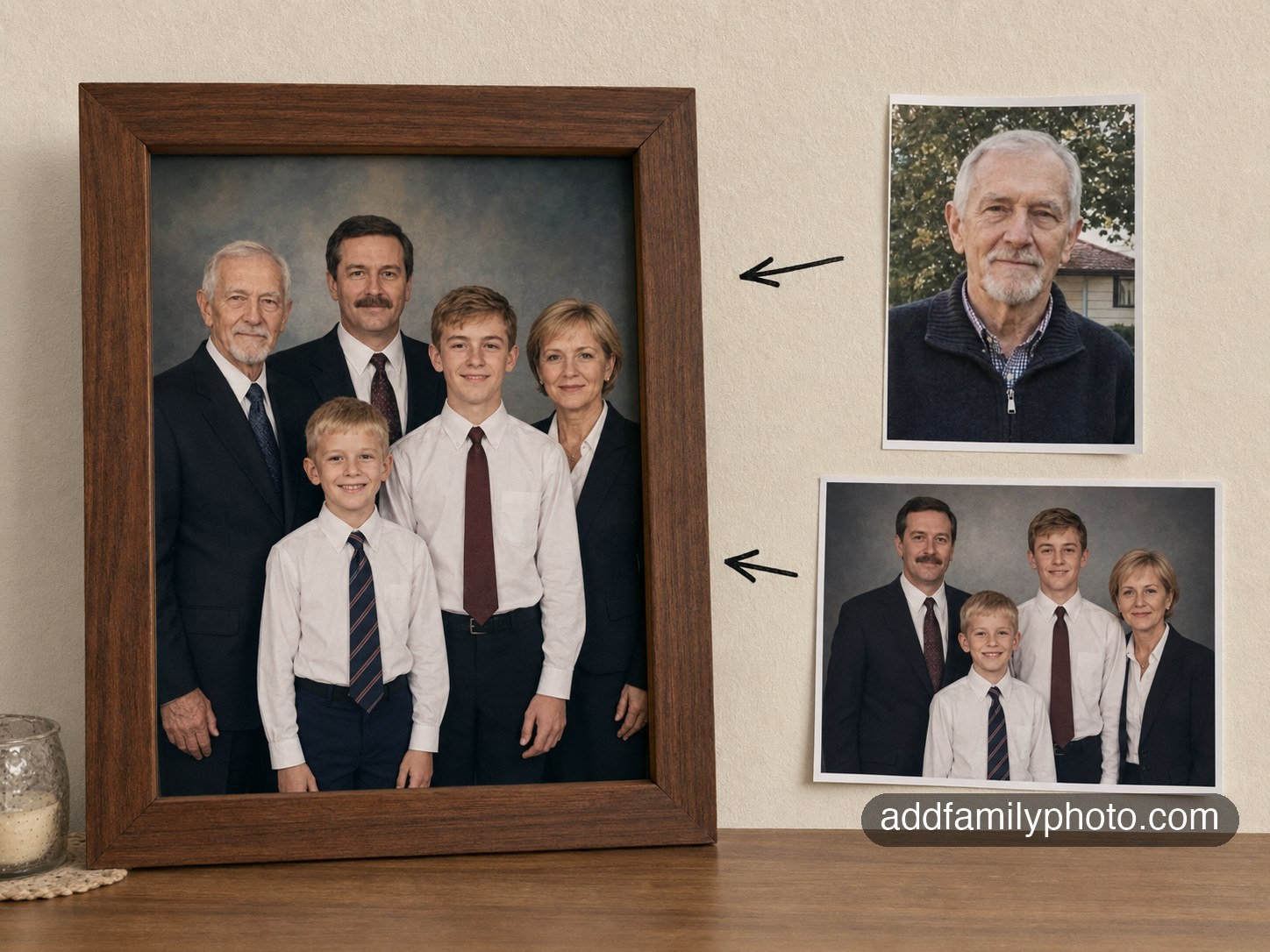
Modern AI can analyze the lighting, composition, and context of a photo and place a new person into it naturally. The result doesn't look pasted or artificial — the AI adjusts for shadows, skin tone, background, and spatial position so the added person looks like they were always there.
At AddFamilyPhoto, the process works like this:
- Upload both photos — your group photo and the portrait
- Get a free preview — in about 20 seconds, you'll see what the result looks like. No payment required at this stage.
- Review and decide — if you're happy with the preview, you can pay to receive 5 high-quality variations. If you're not happy, you don't pay anything.
The free preview exists specifically because this kind of photo matters. You should be able to see what you're getting before you decide.
What to Expect from the Result
The AI is genuinely good at this, but it helps to have realistic expectations.
What works well:
- Natural-looking placement and posture
- Lighting that matches the scene
- Blended backgrounds and realistic shadows
- Skin tones that match the existing photo
Where results vary:
- Very old or low-quality portrait photos may produce softer results
- Complex backgrounds (busy crowds, unusual lighting) are harder to blend
- Extreme angles or very small face portraits reduce accuracy
This is why the free preview exists — you can check whether the result meets your expectations before committing.
Is It Appropriate?
This is a question many people ask themselves. The short answer: many families find it deeply meaningful, and there's nothing wrong with it.
Grief takes many forms, and so does honoring someone's memory. Some families display these photos at memorial services. Others keep them as private keepsakes. Some use them to help children understand who their grandparents were. All of these are valid.
What matters is that the photo is made with care, looks real and respectful, and is used in a way that feels right to your family. The technology exists to make that possible.
Getting Started
If you'd like to try it, you can upload your photos and see a free preview — free account, no payment needed.
The preview is ready in about 20 seconds. If it looks right, you can decide then. If not, you've lost nothing.