

If you've been searching for a way to add a deceased loved one to a family photo — and wondering whether you can do it for free — you're not alone. Many people reach this question in moments of grief, hoping to create a photo that feels whole again.
Here's an honest look at what's available, what free options actually offer, and what to realistically expect.
What "Free" Usually Means
Several tools advertise themselves as free photo editing apps. In practice, "free" often means one of the following:
- Free with a watermark — the result has a visible logo or text stamped on it
- Free with limited quality — low resolution, compressed, not suitable for printing
- Free trial — a short window that then requires a subscription
- Free but requires technical skill — tools like Photoshop or GIMP that can do this, but require hours of practice to use well
None of these are wrong, but it's worth knowing what you're getting into before you spend an afternoon trying to make something work.
What AI Can Do Now
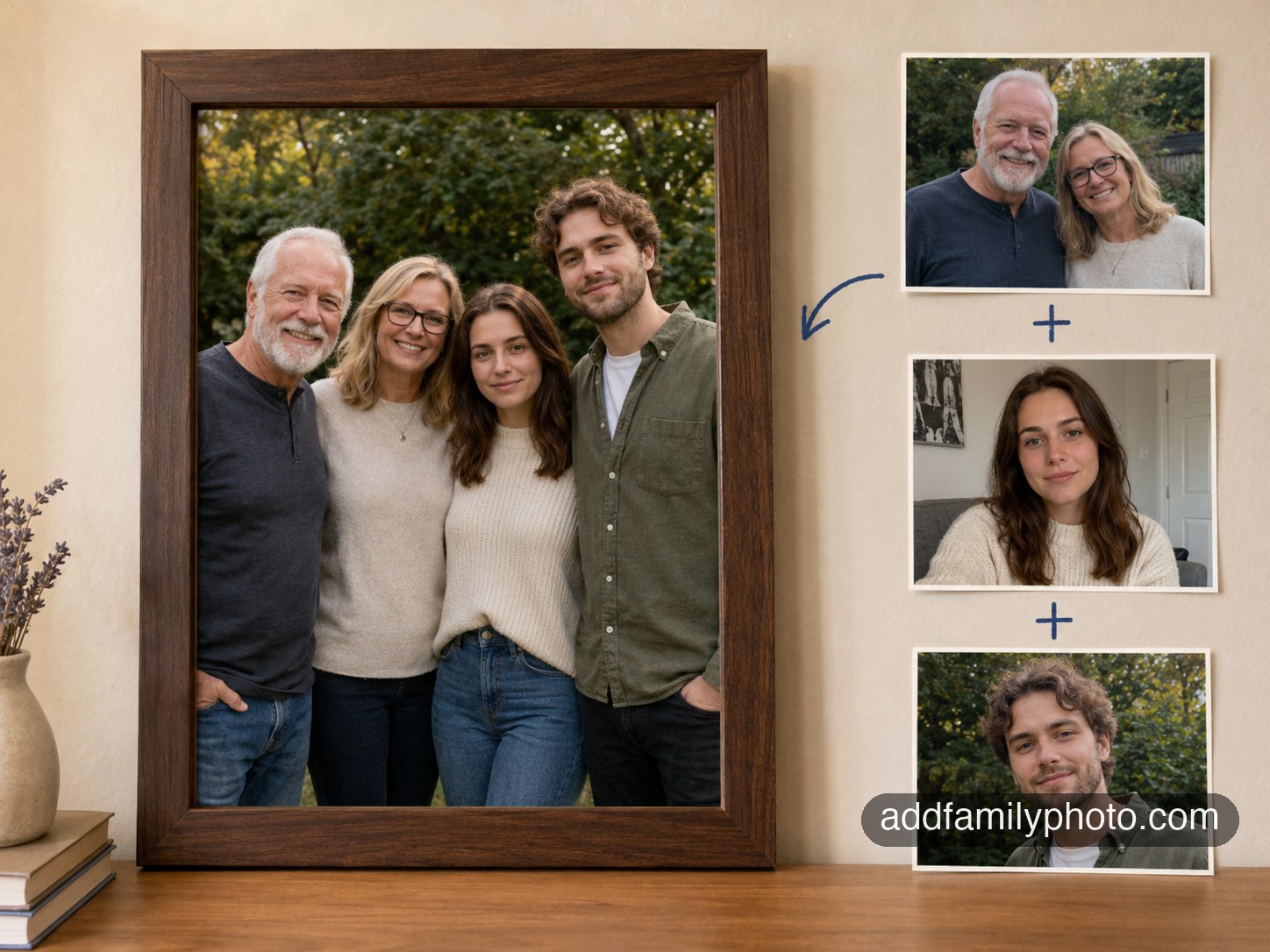
In the past two years, AI image generation has become genuinely good at placing a person naturally into an existing photo. The difference between AI-generated results and traditional photo editing is significant:
- Traditional editing: requires a skilled editor, takes hours, and still often looks composited
- AI editing: analyzes the entire scene — lighting, shadows, poses, perspective — and generates a result that looks naturally integrated
The AI isn't copying and pasting. It's synthesizing a new version of the person based on their portrait, placed into the scene as if they'd always been there.
How to Try It for Free
At AddFamilyPhoto, the free preview is real and meaningful. Here's what it includes:
- Upload your family photo and a portrait of the person you want to add
- AI generates a preview in about 20 seconds
- You can see the full result — no watermark, no blurred preview
- Free account — no credit card required
The idea is simple: a photo like this matters too much to buy blind. You should see what you're getting first.
If the preview looks right, you can pay to receive 5 high-quality variations. If it doesn't, you walk away having lost nothing.
What Makes a Good Portrait Photo
The quality of the result depends heavily on the portrait photo you provide. You don't need a professional photo — but a few things make a real difference:
Use a photo where:
- The face is clearly visible and unobstructed
- Lighting is even (no harsh shadows across the face)
- The person is looking forward or at a slight angle
Avoid:
- Sunglasses or hats covering the face
- Very small face in the image (if possible, crop closer)
- Very old photos with significant damage or fading (these still often work, but results vary)
- Photos taken in extremely dim lighting
The AI can work with most photos, but clearer input produces better output.
What to Do With the Final Photo
Once you have the photo, there are no rules about what to do with it. Some ideas from families who've done this:
- Print and frame it — especially meaningful for anniversaries or memorial gatherings
- Include it in a memorial book or album — alongside other photos of the person
- Share it privately — with family members who would find comfort in seeing the complete image
- Use it as a desktop wallpaper — a quiet daily reminder
Whatever feels right to you is the right choice.
A Note on Grief
Creating a photo like this is a personal decision, and there's no universal right answer about whether it's appropriate or when to do it. Many families find it deeply comforting — a way to honor presence, to complete a moment that felt incomplete.
If you're unsure whether it's right for you, the free preview costs nothing and commits you to nothing. Sometimes seeing the result is the thing that helps you decide.